
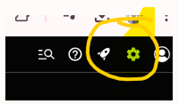
(1) On the Service Titan page select the gear – Setting icon-
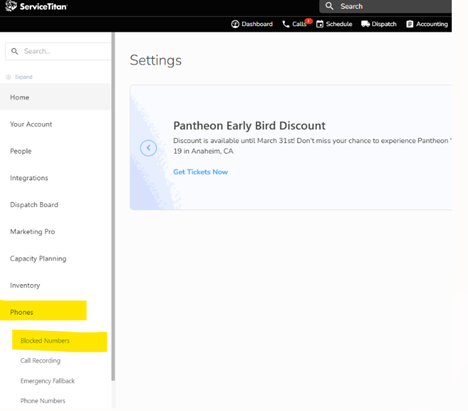
(2) Select the Phones- Blocked numbers
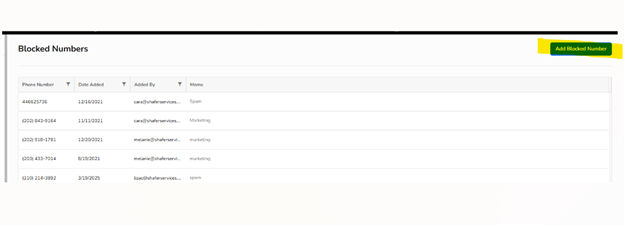
(3) Once you select blocked numbers, there is a (ADD BLOCKED NUMBER)
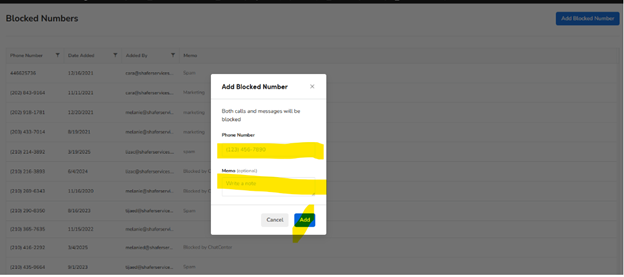
(4) A pop up will appear, you will enter the phone number and add a memo; You can put spam/ telemarketer/ solicitor etc.
Click Add once you’re done.
(5) Once you click done you will be back on the blocked number list.