
See workflow below:
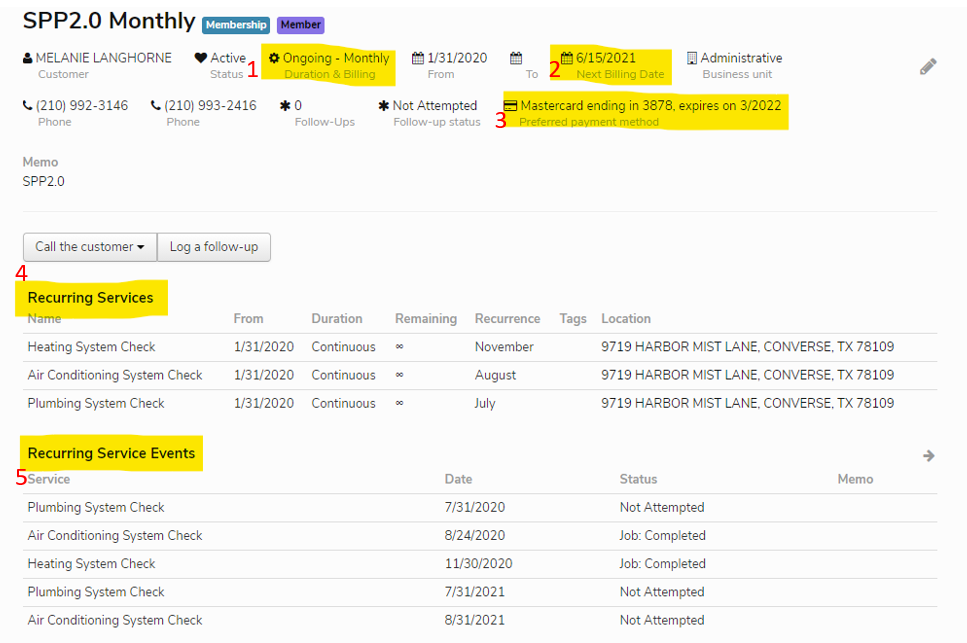
- Duration & Billing- What kind of membership (Monthly or 12 month One time)
- Next Billing date- When the membership is set to bill next
- Preferred payment Method- What the customer has chosen to pay with (Check/CC/ACH)
- Recurring Service- What services the membership has included
- Recurring Service Events- When the recurring services will take place
- Pencil- Edit Memo with how many systems customer has add the tag how many units are covered under membership.
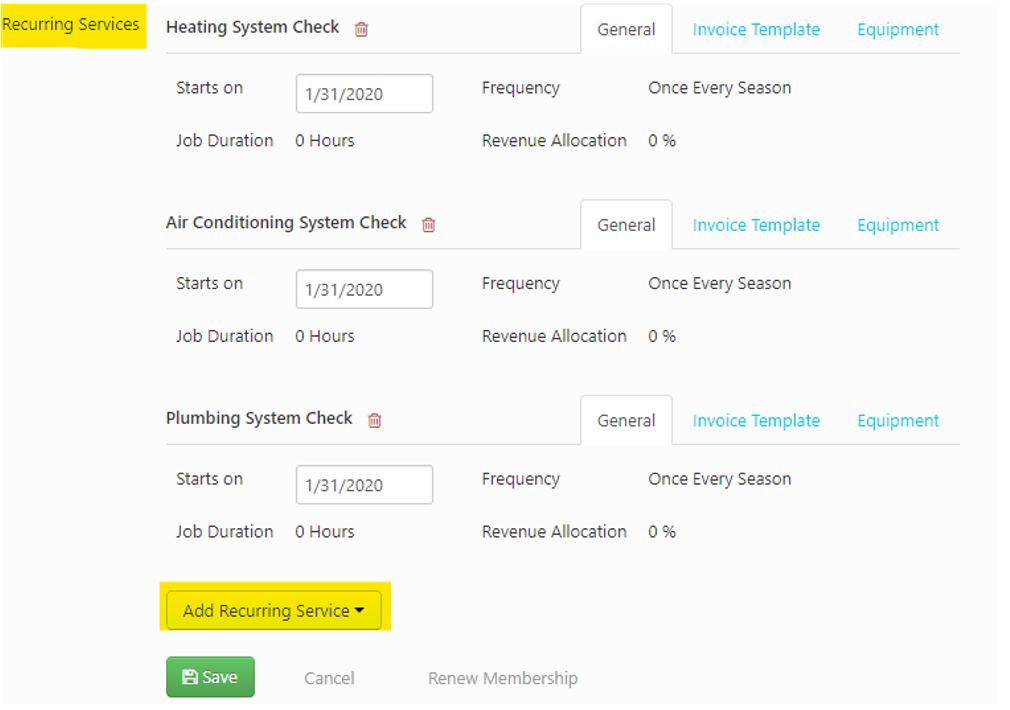
When you click on the pencil on the membership page you can scroll down to the bottom and add any recurring services if they were not prepopulated (i.e. renewing a membership)
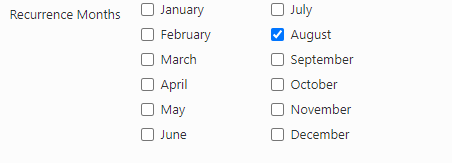
When setting up a new membership or changing the months of checks, you can click the Recurring service and scroll to the bottom and change when the service happens.

When Clicking the Recurring Service Event, you will be shown this page. This will give you information about this specific call. You can get to this page from different places (Follow up, Call screen, and membership page).

When there is an event connected to a certain recurring service event you can log it here
Examples: Customer declines services or Customer will call back to service
The date can be used to push only this event. Only push the date when the campaign that you are working on calls for it.

If you have a job created already and need to tag a recurring service event you can find it on the job, under the job summary and above the History.